Graphing Functions
Plot and analyze functions, parametric equations, polar graphs, and sequences when supported by the calculator.
Use a TI-84 Plus CE-style graphing calculator directly in your browser. Explore graphing, statistics, and advanced math without installing additional software.
Use the calculator below to get started.
Loading calculator…
Connecting to the calculator and preparing the interface.
Loading time depends on your connection and the calculator service.
If the calculator does not appear or fit your screen, open it in a new tab or read the manual.
Welcome to the online version of the Texas Instruments TI-84 Plus CE graphing calculator emulator. This web-based calculator experience runs in your browser, requires no separate download, and can be accessed from compatible devices.
It can be useful for students, teachers, and professionals who need graphing and calculation tools for mathematics, science, engineering, and statistics coursework.
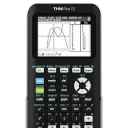
Practice calculations and explore common graphing workflows from your browser. Available features depend on the embedded calculator build.
Explore common graphing-calculator tools in one convenient browser-based interface.
Plot and analyze functions, parametric equations, polar graphs, and sequences when supported by the calculator.
Work with statistical calculations and plots, including regression, histograms, and box plots where available.
Explore complex numbers, matrices, lists, and other mathematical operations supported by the emulator.
Open the calculator in a compatible browser without installing a separate desktop application.
Practice calculator workflows and mathematical concepts. Exam rules vary, so check your test provider's policy before using any device or emulator.
Use the embedded calculator on different screen sizes or open it in a separate tab for more room.
Follow these simple steps to begin.
Students: Practice homework problems, review mathematical concepts, and become familiar with graphing-calculator workflows.
Teachers: Demonstrate calculator operations during lessons or while preparing classroom examples.
Parents: Help children practice math using a graphing-calculator-style interface.
Professionals: Access supported calculations and graphing tools for study or everyday reference.
The embedded calculator build may support functions such as the following. Exact availability depends on the version being hosted.
For the best experience, use a supported modern browser and make sure JavaScript is enabled.
Compatible devices may include Windows, macOS, Linux, iOS, Android, and ChromeOS, depending on browser support and the embedded calculator build.
Return to the calculator above and start exploring its available tools.